之前使用家庭宽带公网 IPV6 自建 Tailscale 的 DERP 节点,但是部分服务器不支持 IPv6;另外 IPv6 开启后如果 DNS 或者 MSS 钳制配置不当会导致部分流量无法正常路由,可能会影响其他设备使用,因此作为补充,使用阿里云的服务器部署 DERP 服务器,用于提供 IPv4 的流量转发
Tailscale 从 1.82.0 版本开始支持使用自签的 IP 证书部署 DERP Server,而不再强制使用域名,因此可以使用 ZeroSSL 的 IP 证书和阿里云的公网 IP 自建免域名的 DERP Server
申请 ZeroSSL IP 证书
申请 ZeroSSL IP 证书可以参考 阿里云服务器使用 Caddy 和 ZeroSSL 提供的 IP 证书为服务开启 HTTPS 进行申请获取证书
部署 DERP Server
使用 docker-compose 部署 DERP Server,docker 镜像可以使用 ghcr.io/helloworlde/derper,这是基于 Tailscale 源码构建的镜像;代码参考 ghcr.io/helloworlde/derper
将 ZeroSSL 申请的证书添加到 cert 目录下:
.
├── cert
│   ├── 10.0.0.2.crt
│   └── 10.0.0.2.key
├── config
└── docker-compose.yaml
- docker-compose.yml
services:
  derper:
    image: ghcr.io/helloworlde/derper
    container_name: derper
    restart: always
    network_mode: host # 使用宿主机的网络
    volumes:
      - ./config:/app/config # 用于挂载调试和私钥的 key
      - ./cert:/app/certs # 挂载证书
      - /var/run/tailscale/tailscaled.sock:/var/run/tailscale/tailscaled.sock # 挂载 tailscaled.sock,用于验证客户端
    environment:
      - TZ=Asia/Shanghai
      - DEV=false # 关闭 dev 模式
      - ADDR=:20443 # derp 的 HTTPS 地址
      - HTTP_PORT=81 # HTTP 端口
      - STUN_PORT=3478 # STUN 端口
      - HOSTNAME=10.0.0.2 # 公网 IP
      - CERTS_DIR=/app/certs/ # 证书路径
      - CERTMODE=manual # 证书模式
      - STUN_ENABLE=true # 开启 STUN
      - DERP_ENABLE=true # 开启 DERP
      - VERIFY_CLIENTS=true # 验证客户端
      - TS_DEBUG_KEY_PATH=/app/config/debug.key # debug key 文件的路径,用于访问 debug 端口测试
      - DERP_DEBUG_LOGS=false # 关闭 DERP debug 日志
      - CONFIG_PATH=/app/config/derper.key # 私钥文件,用于验证中继的身份
- 启动 DERP Server
docekr compose up -d
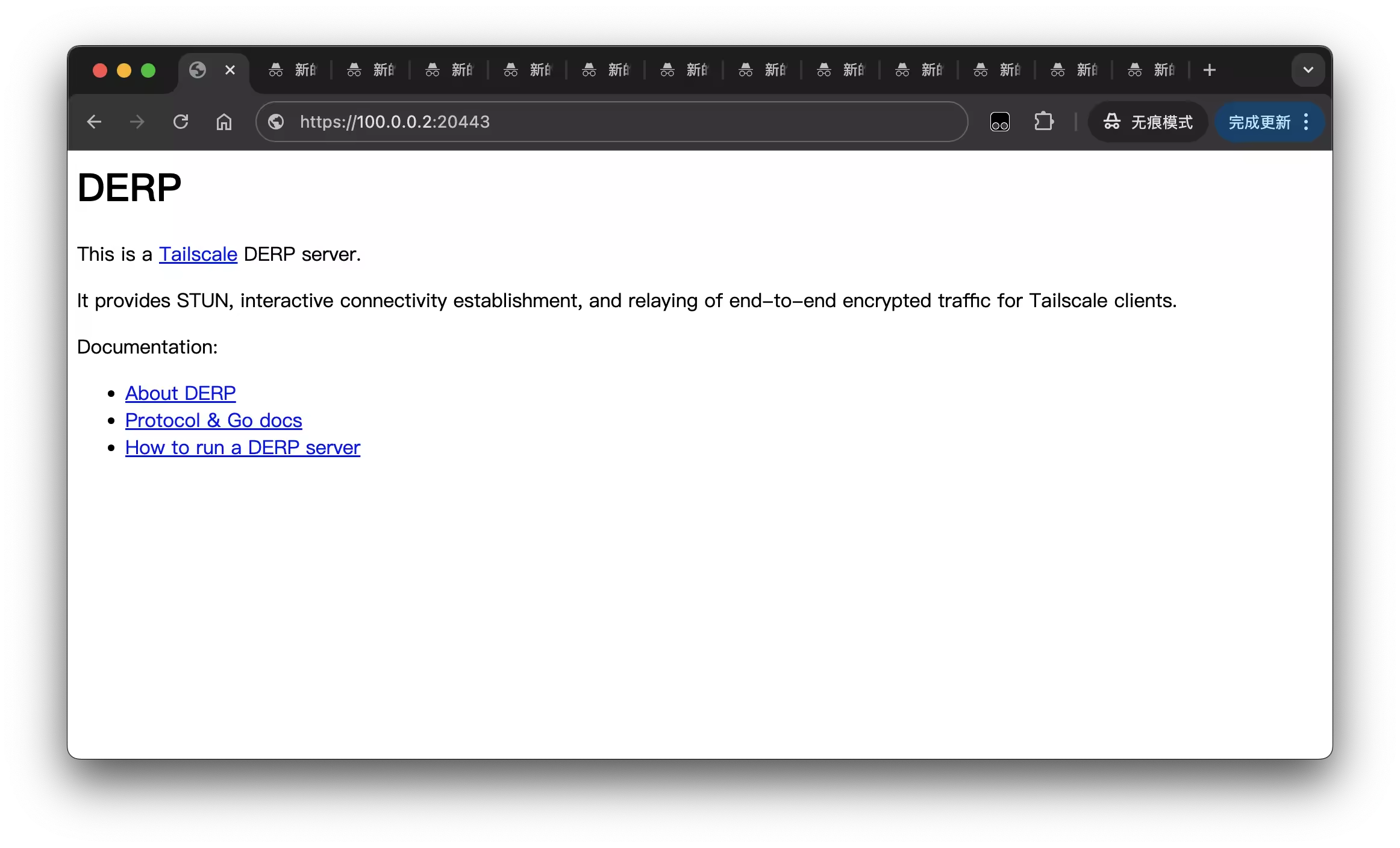
启动后访问 https://10.0.0.2:20443/ 验证,可以正确访问说明部署成功:
Tailscale 添加 DERP Server
添加 DERP Server
在 Tailscale 控制台修改 Access Controls,将 DERP Server 添加到 derpMap 并保存
  "derpMap": {
      // 其他配置
			"903": {
				"RegionID":   903, // 900以上
				"RegionCode": "master", // 区域代码,会在 `tailscale netcheck` 显示
				"RegionName": "master", // 区域名称,会在 `tailscale netcheck` 显示
				"Nodes": [
					{
						"Name":             "master",
						"RegionID":         903, // 对应上方ID
						"HostName":         "10.0.0.2", // hostname 改为 IP 地址
						"IPv4":             "10.0.0.2", // IPv4 地址
						"InsecureForTests": true,
						"DERPPort":         20443, // HTTPS 端口
						"STUNPort":         3478, // 你的DERP服务端口,
						"CanPort80":        false,
					},
				],
			},
			// 更多DERP节点
		},
	},
检查连接
使用 tailscale netcheck 检查链接状态,master 正确使用,延迟在 10ms 左右
tailscale netcheck

Report:
	* Time: 2025-08-02T13:05:41.854909783Z
	* UDP: true
	* IPv4: yes, 100.0.0.3:26352
	* IPv6: yes, [2409:xxx]:58117
	* MappingVariesByDestIP: false
	* PortMapping:
	* CaptivePortal: false
	* Nearest DERP: HomeLab
	* DERP latency:
		- homelab: 100µs   (HomeLab)
		- master: 10.9ms  (master)
		- server: 203ms   (Server)
客户端强制使用特定的 DERP Server
客户端默认使用延迟最低的 DERP Server,如果想使用特定的 DERP Server 可以通过 tailscale 的 debug 命令指定,例如指定使用 master 区域的 DERP Server:
tailscale debug force-prefer-derp 903
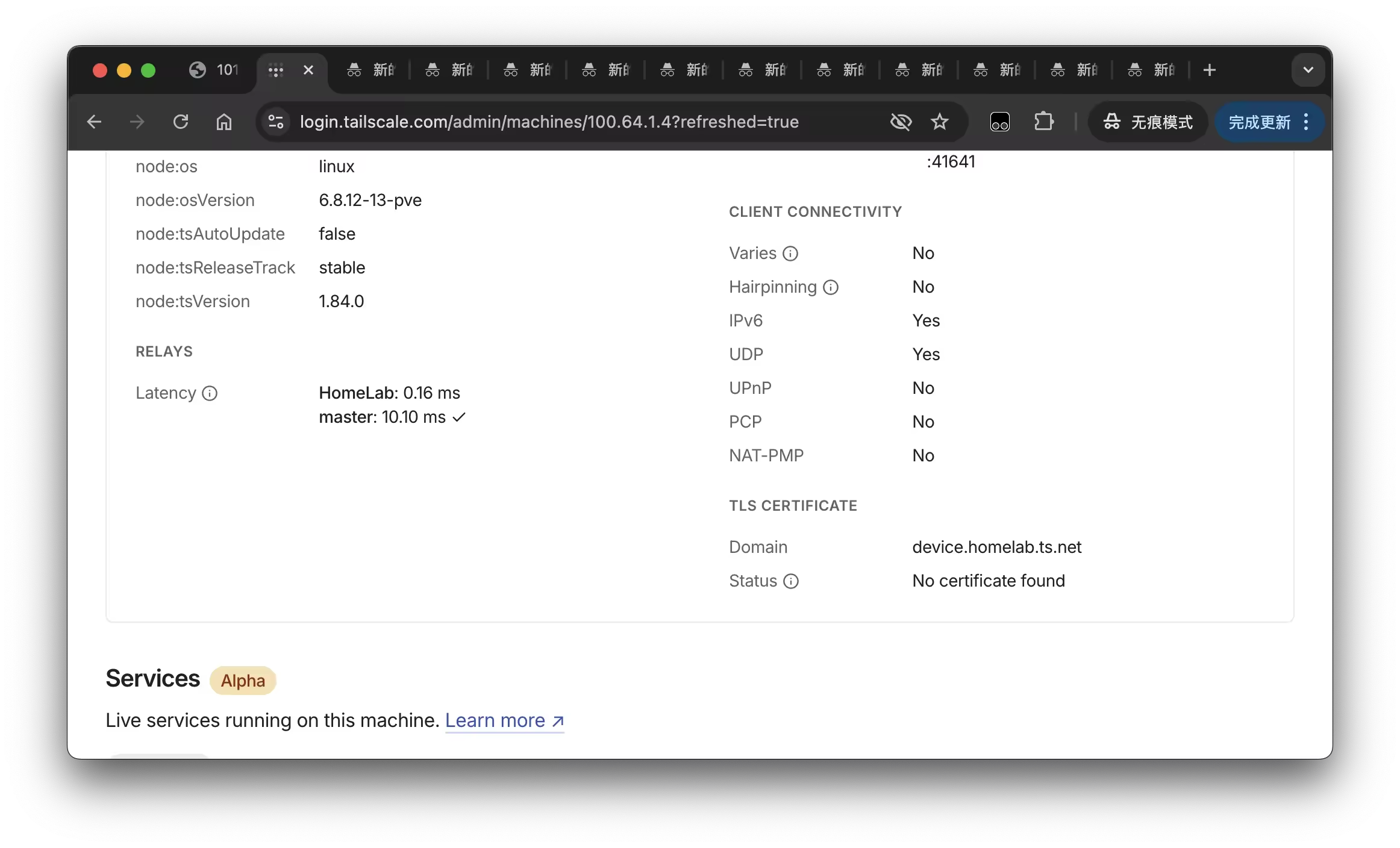
然后在 Tailscale 控制台可以看到当前使用的 DERP Server 已经切换为 master 区域:
禁用其他区域
手动指定 DERP Server 会在重启后失效,重新连接到延迟最低的 DERP Server,这样连接到不同的 DERP Server 的实例之间可能无法直连,通过阿里云的小水管转发很容易达到瓶颈;可以将其他区域禁用,只保留手动指定的 DERP Server;在 Access controls 将其他区域都配置为 null,默认的区域可以通过 https://controlplane.tailscale.com/derpmap/default 接口获取
	"derpMap": {
		"OmitDefaultRegions": false,
		"Regions": {
			"1":  null, // New York City
			"2":  null, // San Francisco
			"3":  null, // Singapore
			"4":  null, // Frankfurt
			"5":  null, // Sydney
			"6":  null, // Bangalore
			"7":  null, // Tokyo
			"8":  null, // London
			"9":  null, // Dallas
			"10": null, // Seattle
			"11": null, // São Paulo
			"12": null, // Chicago
			"13": null, // Denver
			"14": null, // Amsterdam
			"15": null, // Johannesburg
			"16": null, // Miami
			"17": null, // Los Angeles
			"18": null, // Paris
			"19": null, // Madrid
			"20": null, // Hongkong
			"21": null, // Toronto
			"22": null, // Warsaw
			"23": null, // Dubai
			"24": null, // Honolulu
			"25": null, // Nairobi
			"26": null, // Nuremberg
			"27": null, // Ashburn
			"28": null, // Helsinki
			"903": {
				"RegionID":   903, // 900以上
				"RegionCode": "master", // 区域代码,会在 `tailscale netcheck` 显示
				"RegionName": "master", // 区域名称,会在 `tailscale netcheck` 显示
				"Nodes": [
					{
						"Name":             "master",
						"RegionID":         903, // 对应上方ID
						"HostName":         "10.0.0.2", // hostname 改为 IP 地址
						"IPv4":             "10.0.0.2", // IPv4 地址
						"InsecureForTests": true,
						"DERPPort":         20443, // HTTPS 端口
						"STUNPort":         3478, // 你的DERP服务端口,
						"CanPort80":        false,
					},
				],
			},
		},
	},